Parcelforce Book a Collection: How to Arrange Doorstep Courier Pickups?
 • July 17, 2026
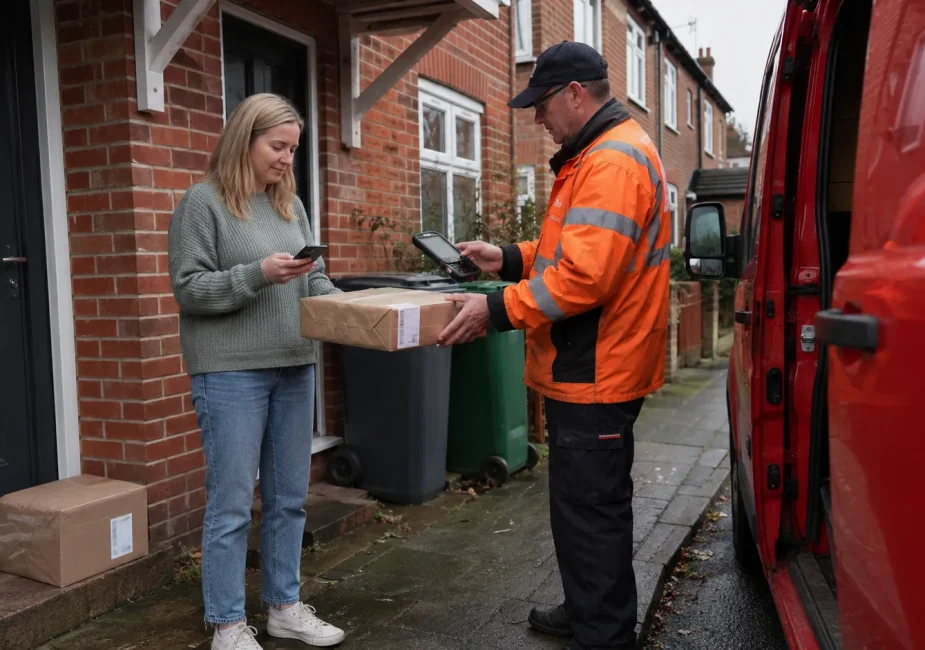
To book a Parcelforce collection, use the Royal Mail online sending service or Royal Mail app. Parcelforce customers are now directed to Royal Mail’s Parcel Collect booking system, where you can buy postage and arrange collection together or request collection for an eligible parcel that already has postage.
Follow these steps:
- Go to the Parcelforce collection page and select Book a collection.
- Buy the required postage or enter the reference for a prepaid parcel.
- Add the sender, recipient and parcel details.
- Place the item in your basket and select Arrange collection.
- Choose the collection address, date and labelling option.
- Pay where required, save the confirmation and prepare the parcel.
You can request collection from your home, workplace or an eligible nominated safe place.
Royal Mail currently advertises ordinary Parcel Collect bookings at 30p per parcel, although eligible prepaid returns may be collected free of charge. The available price and options should be checked during booking because they can depend on the parcel and postage service.
What Is a Parcelforce Doorstep Collection?
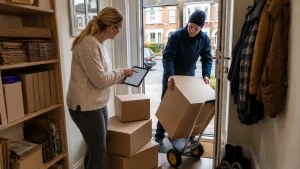
A Parcelforce doorstep collection allows you to arrange for a parcel to be picked up from an address instead of taking it to a Post Office or Parcelforce depot.
The collection can be useful when you:
- Are sending a large or inconvenient parcel
- Work from home
- Run an online shop
- Need to dispatch several orders
- Cannot easily travel to a drop-off point
- Have an eligible prepaid return
Although you are sending the parcel using a Parcelforce service, the current online collection journey is provided through Royal Mail’s Parcel Collect and Click & Drop system.
Parcelforce’s website explains that collection and drop-off arrangements have changed and now redirects customers to Royal Mail to complete the booking.
Why Does Royal Mail Handle the Booking?
Royal Mail’s online sending platform brings Royal Mail and Parcelforce options into one booking journey.
Depending on your parcel’s destination, weight, dimensions and required delivery speed, you may be shown an appropriate Parcelforce service during the quotation process.
This means you should not be concerned if selecting Book a collection on the Parcelforce website takes you to a Royal Mail page. That redirect is part of the current official process.
Collection Versus Drop-off
A collection means the parcel is picked up from your home, workplace or approved safeplace. A drop-off means you take it to an accepted location yourself.
Parcelforce parcels and prepaid returns can generally be dropped off at:
- Participating Post Office branches
- Parcelforce depots
- Other locations displayed through Royal Mail’s Services Near You tool, where the selected service is accepted
Not every parcel can be accepted at every location. For example, Parcelforce says express48Large parcels are not accepted at Post Offices because many branches lack sufficient storage space.
Those parcels should be collected or taken to a Parcelforce depot.
What Do You Need Before Booking a Parcelforce Collection?
Preparing the information first makes the booking process faster and reduces the risk of selecting the wrong service.
Your Parcel’s Destination
You need the full delivery address, including the correct postcode. For an international parcel, you may also need customs information, a detailed description of the contents and the item’s value.
Parcelforce advises international senders to include sender and recipient telephone numbers on the customs declaration and complete all required documentation accurately.
International restrictions and customs requirements vary by destination.
Accurate Weight and Measurements
Weigh the parcel after it has been fully packed. Do not rely on the weight of the product alone because the box, padding and protective materials increase the total.
Measure:
- Length
- Width
- Height
The length is always the parcel’s longest side. For an irregular object, measure the smallest rectangular box into which the item could fit, using the widest points for the width and height.
Accurate measurements matter because Parcelforce services have different size and weight limits. An incorrectly declared parcel could be delayed, refused or subject to an additional charge.
Sender and Recipient Details
Have the following ready:
- Sender’s full name
- Collection address
- Sender’s contact details
- Recipient’s full name
- Complete delivery address
- Correct postcode
- Recipient’s telephone number where required
Check the address carefully before buying postage. A correct collection address does not compensate for an incorrect delivery address.
A Label or Postage Reference
The information you need depends on how the postage was purchased.
You may have:
- A new label bought during the collection booking
- An existing Parcelforce postage label
- A retailer-issued returns label
- A Parcelforce return24 or return48 reference
- A QR code used to print a label at a drop-off point
A QR code is not necessarily the label that must be attached to the parcel.
Royal Mail states that a parcel collected from you must have a purchased postage label or printed returns label attached unless an eligible Bring My Label option has been selected.
How to Book a Parcelforce Collection Online?
There are three main booking routes: buying postage and collection together, arranging collection after buying postage, or using the Royal Mail app.
Option 1: Buy Postage and Book the Collection Together
This is normally the simplest route when you have not yet paid for delivery.
Step 1: Enter the Destination and Parcel Details
Start the sending journey and choose whether the parcel is being sent within the UK or overseas.
Enter the packed parcel’s:
- Weight
- Length
- Width
- Height
- Destination
The booking system should then show the available delivery services and prices.
Step 2: Compare the Available Services
Do not choose solely by the service name. Check:
- Estimated delivery time
- Collection availability
- Maximum weight and dimensions
- Tracking
- Compensation terms
- Destination restrictions
- Whether a signature or timed delivery is included
A faster delivery service may cost more and may still have postcode or destination exceptions.
Step 3: Enter the Sender and Recipient Information
Add both addresses exactly. Use the postcode lookup where available, but confirm that the selected building number, unit or business name is correct.
For a workplace collection, include information that helps the collector identify the correct reception, unit or entrance.
Step 4: Add the Parcel to Your Basket
Once the postage information is complete, add the item to your basket. Royal Mail’s official instructions say that you can then choose the Arrange collection option.
Step 5: Choose the Collection Address and Date
Your collection address does not always have to match the sender’s home address.
Depending on availability, you may be able to request collection from:
- Your home
- Your workplace
- Another eligible address
- A nominated safeplace
Choose a date when the parcel can remain ready throughout the available collection period.
Step 6: Select the Label Option
You may be offered two choices:
- Print and attach the label yourself
- Select Bring My Label
Bring My Label can be useful when you do not have a printer. The option is subject to eligibility and should appear during the booking when it is available.
The collector brings the label, which normally must be attached to the correct parcel at the point of collection.
Step 7: Pay and Save the Confirmation
Review the postage service, collection address, date and parcel details before paying.
Save:
- The order confirmation
- Collection reference
- Tracking or consignment number
- Postage receipt
- Label file
- Collection email or notification
These records can help if you need to amend the booking, track the parcel or report a problem.
Option 2: Book a Collection After Buying Postage
You do not usually have to buy the postage again if you already have a valid eligible label.
Use the separate collection journey and enter the requested item or tracking reference. Confirm that the reference matches the parcel being collected.
You can then choose the collection date, address and available labelling option. Make sure you do not accidentally create a second postage purchase for the same parcel.
Option 3: Book Through the Royal Mail App
Royal Mail also permits Parcel Collect bookings through its app. Start from the app’s collection option, enter or purchase the relevant postage and follow the instructions for the address, date and label.
The app can be convenient when your label or return information has been sent to your phone.
However, check whether you have received a printable label, a collection-compatible reference or only a QR code for printing at a drop-off point.
How Do You Book a Collection for a Prepaid Return?
A prepaid return is a parcel for which the retailer or original sender has already arranged the return postage.
Start by checking the retailer’s instructions. Some retailers provide a printable label, while others issue a QR code that must be scanned at a Post Office, parcelshop or other supported drop-off location.
Use the Correct Return Reference
For a prepaid and printed Royal Mail Tracked Return or Parcelforce return24 or return48 parcel, Royal Mail instructs customers to enter the reference from the label containing the retailer’s return address.
Using the wrong number can result in the parcel being refused, and Royal Mail warns that you may still be charged.
Attach the Correct Label
If you have received a printable prepaid label:
- Remove or cover old delivery labels and barcodes.
- Print the new return label clearly.
- Attach it securely to a flat, visible part of the parcel.
- Check that the retailer’s return address and barcode are readable.
Where an eligible label-bringing service is offered, select it during the booking and follow the confirmation instructions.
Is a Return Collection Free?
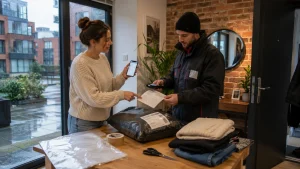
Parcelforce’s current returns guidance says its at-home collection service for eligible returns is free and that labels may be brought when needed.
This differs from the standard Parcel Collect charge advertised for ordinary postage bookings. Whether your particular return qualifies depends on the retailer, label and service, so confirm the displayed charge before completing the request.
Keep the return authorisation, booking confirmation and tracking information until the retailer has processed your refund, replacement or repair.
How Much Does a Parcelforce Collection Cost, and When Will It Arrive?
The standard Royal Mail Parcel Collect page currently advertises collection at 30p per parcel. Eligible retailer returns may be free. Postage charges are separate and depend on the chosen delivery service.
| Booking point | Current published position | What it means for you |
|---|---|---|
| Standard collection charge | 30p per parcel | The charge is normally added to the postage price |
| Eligible prepaid return | May be free | Check the retailer’s instructions and checkout total |
| Collection locations | Home, workplace or nominated safeplace | You may not need to visit a branch or depot |
| Normal weekday period | Usually 7:00am–5:30pm, Monday to Friday | Keep the parcel available throughout the period |
| Maximum booking size | 25 items | Larger or frequent volumes may need a business arrangement |
| Regular sending | Business account recommended above 20 parcels a week | Compare business collection options if you dispatch frequently |
| Safeplace Bring My Label | One pre-printed label | Only one unlabelled safeplace parcel can use this option |
| Delivery timing | One working day added to aims and guarantees | Collection may be less suitable for urgent next-day items |
Parcelforce says collections are usually made between 7:00am and 5:30pm, Monday to Friday, depending on the service.
Saturday collections can only be booked with specified Weekend AM and Weekend 24 services for Sunday delivery.
Royal Mail limits Parcel Collect bookings to 25 items and recommends discussing a business account when you regularly send more than 20 parcels a week.
Does Collection Affect Delivery Speed?
Yes, it can. Royal Mail states that Parcel Collect adds one working day to its delivery aims and guarantees because parcels are collected while posties carry out their normal delivery rounds.
For something that must meet a next-working-day guarantee, Royal Mail advises buying the appropriate postage online but taking the item to a Post Office rather than using Parcel Collect.
Do You Need a Printer to Book a Parcelforce Collection?
You may not need a printer if Bring My Label is offered for your booking.
Printing Your Own Label
When printing at home:
- Print at full size without shrinking the barcode
- Use dark, clear ink
- Attach the entire label
- Keep the barcode flat
- Avoid folds or creases through the barcode
- Remove or cover old labels
- Do not place reflective tape directly over the barcode
Parcelforce says barcoded service labels must be securely attached and clearly visible.
Using Bring My Label
Select Bring My Label during booking when the option is available. The collector will bring a pre-printed label for you to attach to the parcel.
Even when the label is being brought, Parcelforce advises writing the recipient’s address and consignment number clearly on the package. This provides an additional way to identify the item.
QR Code Versus Postage Label
A QR code may be designed for a machine or member of staff to print your label at a drop-off point. It should not automatically be treated as a label that a collection driver can scan from your phone.
Royal Mail specifically says the attached returns label must not be the QR code. Use a printed label or select an eligible Bring My Label collection.
Safeplace Label Restriction
You can nominate an eligible safeplace when you will not be present. However, if you combine safeplace collection with Bring My Label, the postie can bring only one pre-printed postage label.
How Should You Prepare a Parcel for Collection?
Booking the collection does not remove your responsibility to package the parcel properly.
Use a Suitable Box
Choose a rigid cardboard box strong enough for the parcel’s weight. Parcelforce recommends using a new box and filling empty space so the contents cannot move during handling.
Fragile items should be individually protected and placed in a larger box with suitable internal cushioning. Laptops, tablets and similar electronics should not be sent in soft cases or ordinary padded envelopes.
Seal the Parcel Securely
Use reinforced carton tape or another strong parcel-sealing tape across the top and bottom seams.
Parcelforce advises against using string, external bubble wrap, plastic strapping or shrink wrap because these materials can become caught in sorting machinery. Boxes should not be strapped together as one parcel.
Check Prohibited and Restricted Items
Everyday products such as aerosols, perfumes, nail varnish, batteries, medicines and liquids may be prohibited or accepted only under specific quantity, packaging or destination conditions.
Check the current official restrictions for both the selected service and destination. Do not assume that an item accepted for UK delivery can also be sent internationally.
Address the Parcel Clearly
Write or display:
- Recipient’s name
- Full delivery address
- Postcode
- Recipient’s contact number where required
- Your return address
- Consignment number
Parcelforce recommends including sender and recipient information both outside and, where possible, inside the parcel.
Prepare a Safeplace Properly
A nominated safe place should be:
- At the collection address
- Accessible without forcing entry
- Sheltered from rain
- Large enough for the parcel
- Away from public view
- Described precisely in the booking
Avoid vague instructions such as “outside”. State the specific location, such as “inside the closed porch” or “behind the side gate”, where permitted.
What Happens on the Collection Day?
Have the parcel ready before the collection period begins. Unless your confirmation provides a specific slot, you should not assume the collector will arrive at a precise time.
If you are present, keep the parcel near the agreed entrance. If Bring My Label was selected, make sure the label is attached to the correct item before it is taken.
For a safeplace booking, put the parcel in the nominated location as instructed. Do not move it to a different place without updating the collection.
After handover, monitor the tracking reference. A label can exist before a parcel enters the network, so an early tracking screen may show limited information until the first collection or processing scan appears.
Retain the collection confirmation or email receipt.
Royal Mail recognises a collection notification or email receipt following a home or workplace collection as evidence of posting for applicable Royal Mail claims.
What Should You Do If Parcelforce Does Not Collect the Parcel?
First, check that the collection was booked for the date you expected. Review:
- Collection address
- Scheduled date
- Booking status
- Parcel reference
- Safeplace instructions
- Confirmation emails
- Any cancellation or disruption notice
Check for Local Service Disruption
Royal Mail may temporarily suspend Parcel Collect in certain postcode areas. When this happens, the booking system should display a message, and customers are directed to the official service-updates page.
Rearrange the Collection
The Royal Mail sending help service includes options to amend a booked collection, choose another collection address or time slot, cancel the collection and seek a refund where applicable.
Use the order or collection-management link associated with the booking.
Avoid paying for a duplicate collection until you have checked the status of the first request.
Use a Drop-off Alternative
When timing matters, take an eligible parcel to a Post Office or Parcelforce depot. Check the Services Near You tool first because opening hours and accepted parcel types can vary.
Remember that express48Large parcels cannot be dropped at a Post Office and should instead be collected or taken to a Parcelforce depot.
Contact Parcelforce
Parcelforce currently lists its customer-service number as 03457 740 740.
Published adviser hours are:
- Monday to Friday: 8:00am–6:30pm
- Saturday: 8:00am–12:30pm
- Closed on UK public and bank holidays
Have the parcel reference, booking confirmation, collection address and timeline ready before calling.
Can You Change or Cancel a Parcelforce Collection?
A booked collection can be amended or cancelled through the Royal Mail sending help and order-management journey where the booking remains eligible for changes.
Available options may include:
- Changing the collection address
- Choosing a different collection slot
- Cancelling the collection
- Requesting a refund
- Rearranging after a failed collection
The exact options can depend on the booking status. Use the original confirmation link as soon as you know a change is needed, particularly when the parcel is due to be collected that day.
Parcelforce Collection Versus Post Office or Depot Drop-Off
Collection is usually the better choice when convenience is more important than immediate acceptance.
It may suit you when:
- The parcel is heavy or awkward
- You cannot travel easily
- You work from home
- You have several parcels
- You can leave the item in an approved safeplace
A drop-off may be preferable when:
- You cannot remain available during the collection period
- The next collection date is too late
- You need the parcel to enter the network sooner
- A delivery guarantee is urgent
- You want acceptance evidence immediately
Parcelforce confirms that parcels and prepaid returns can generally be taken to a Post Office or Parcelforce depot, subject to service restrictions.
Common Parcelforce Collection Myths and Booking Mistakes
“You must complete everything on Parcelforce.com”
This is outdated. Parcelforce now directs collection customers to Royal Mail’s booking platform.
“A returns QR code is enough for doorstep collection”
Not always. A QR code may only permit label printing at an eligible drop-off location. For collection, attach the actual printed label or select Bring My Label where available.
“Collection does not affect delivery timing”
Royal Mail says Parcel Collect adds one working day to delivery aims and guarantees.
“You can include as many parcels as you like”
Parcel Collect permits a maximum of 25 items in one booking. Regular senders dispatching more than 20 parcels a week are encouraged to discuss a business account.
“The driver will package the parcel”
The parcel must be securely packed before collection. Bring My Label supplies a label, not packaging materials.
“Writing ‘fragile’ guarantees special handling”
Parcelforce says marking a parcel as fragile is not a substitute for adequate packaging and does not guarantee a particular orientation during transit.
Real-Life Example: Booking Two Parcels from a London Workplace
Suppose you run a small online shop from a shared workspace in London and need to send two customer orders.
You pack each item in a separate rigid box, weigh and measure the completed parcels and enter their details online. After comparing the available services, you select the appropriate Parcelforce option, add the workplace address and choose collection.
You print and attach both labels, save the confirmation references and tell reception that the parcels are awaiting collection. The packages remain ready throughout the published collection period.
Because collection is charged per parcel, you check the final basket for two collection fees rather than assuming one fee covers the entire visit. You also allow for the additional working day that Parcel Collect may add to the published delivery aim.
Your Parcelforce Collection Checklist
Before the collection, confirm that:
- The parcel has been weighed after packing
- Length, width and height are accurate
- The selected service accepts the parcel
- The contents are permitted
- Sender and recipient addresses are correct
- Old labels and barcodes have been removed
- The label is attached or Bring My Label is booked
- The collection address is accessible
- Safeplace instructions are precise
- The booking confirmation has been saved
- The parcel is ready before the collection period
- Tracking is monitored after handover
Conclusion
To book a Parcelforce collection, you now normally follow the Royal Mail Parcel Collect journey. You can purchase postage and collection together or arrange pickup for an eligible prepaid parcel or return.
Check the label carefully, enter accurate parcel measurements and keep the package ready throughout the collection period.
Remember that ordinary collection currently costs 30p per parcel, eligible returns may be free, and Parcel Collect can add one working day to the delivery aim.
Where collection is unavailable or too late, an eligible Post Office or Parcelforce depot drop-off may provide a practical alternative.
Frequently Asked Questions
Can Parcelforce collect a parcel from your home?
Yes. Parcelforce customers can use Royal Mail Parcel Collect to request collection from a home, workplace or eligible nominated safeplace.
How much does it cost to book a Parcelforce collection?
Royal Mail currently advertises ordinary Parcel Collect bookings at 30p per parcel. Postage is charged separately. Eligible prepaid returns may qualify for free collection.
Can you book a Parcelforce collection without a printer?
Yes, when Bring My Label is available for the selected booking. The collector brings the printed label, which must be attached to the correct parcel.
Is a returns QR code the same as a postage label?
No. A QR code may be used to generate a label at a supported drop-off point. Royal Mail says a collected parcel needs the actual postage or returns label unless Bring My Label is selected.
Can you arrange collection after buying postage?
Yes. Use the collection booking route for postage already purchased and enter the requested parcel or item reference.
Can Parcelforce collect a prepaid return?
Yes, eligible returns can be collected. For Parcelforce return24 and return48 parcels, enter the reference from the label showing the retailer’s return address.
What time will Parcelforce collect your parcel?
Parcelforce says collections are normally made between 7:00am and 5:30pm, Monday to Friday, depending on the service.
Can Parcelforce collect from a safeplace?
Yes, where safeplace collection is available. If you also request Bring My Label, only one pre-printed label can be brought for a safeplace collection.
Does Parcelforce collect on Saturdays?
Saturday collection is limited. Parcelforce says it can only be booked with Weekend AM and Weekend 24 services for Sunday delivery.
Sources
- Parcelforce Worldwide: Drop-off and collection options.
- Royal Mail: Parcel Collect booking guidance and FAQs.
- Parcelforce Worldwide: Collection times.
- Parcelforce Worldwide: Return a parcel.
- Parcelforce Worldwide: Packaging guidelines.
- Parcelforce Worldwide: How to measure a UK parcel.
- Parcelforce Worldwide: Contact information.