
Samsung Messages App Ending in 2026 – What Users Should Know?
 • April 6, 2026
Why Is the Samsung Messages App Ending in 2026?
Samsung has confirmed that the Samsung Messages app will be discontinued in July 2026. The company is retiring its own messaging platform and moving fully towards Google Messages across Galaxy phones, tablets and watches.
For years, Samsung Messages was the default texting app on Galaxy devices. However, Samsung has gradually reduced support for it since 2021, when the Galaxy S21 series began shipping with Google Messages pre-installed. By the time the Galaxy S26 series launched, Samsung Messages was no longer included at all.
Samsung says the move is designed to create a more consistent messaging experience across Android devices. Google Messages already supports newer RCS features more reliably than Samsung’s own app.
A Samsung support notice states:
“The Samsung Messages application will be discontinued in July 2026. Upgrade to Google Messages as your default messaging app today.”
Samsung is also believed to be redirecting engineering resources towards Galaxy AI, foldable devices and One UI development rather than maintaining a separate messaging app.
Who Will Be Affected by the Samsung Messages Shutdown?
The Samsung Messages app ending in 2026 will not affect every Galaxy owner in the same way. The impact depends largely on the Android version running on your device.
Device Type Impact After July 2026
Android 12 and newer Galaxy devices Samsung Messages will stop supporting SMS and MMS
Android 11 and older devices Samsung Messages should continue working
Galaxy S25 and S26 models Already use Google Messages by default
Pre-2022 Samsung phones Possible temporary RCS disruption during switch
Older Galaxy Watches with Tizen OS Full message history may no longer sync
Samsung has stated that Android 11 and earlier devices are not included in the end-of-service announcement. That means if you still use an older Galaxy handset, you may continue using Samsung Messages for now.
Which Samsung Phones Are Most Likely to Be Affected?
The following devices are among those most likely to require the switch:
- Galaxy S21, S22, S23, S24, S25 and S26 series
- Galaxy Z Fold and Z Flip models released after 2021
- Newer Galaxy A-series devices running Android 12 or above
- Galaxy tablets using One UI with Google Messages support
What About Older Devices and Watches?
Older Galaxy devices running Android 11 or below will not lose Samsung Messages immediately. However, Samsung is clearly steering all future messaging towards Google Messages.
Galaxy Watches released before the Galaxy Watch4, especially those running Tizen OS, may still send and receive texts, but they are unlikely to display full conversation history once Samsung Messages is discontinued.
When Will Samsung Messages Stop Working?
Samsung has announced a July 2026 deadline, but the exact date may vary slightly depending on your region and device model. Samsung recommends opening the Samsung Messages app itself, where a specific warning notice should appear with your exact end-of-service date.
The company first announced the change in April 2026, giving users roughly 12 weeks to prepare.
Google’s Android communications director reportedly explained:
“Our goal is to make the transition simple and uninterrupted so Galaxy users can continue messaging without losing conversations or features.”
That means there is no need to panic, but you should not wait until the final week either. Switching early gives you time to transfer messages, check RCS settings and ensure everything works correctly.
What Happens If You Keep Using Samsung Messages After July 2026?
Once the deadline passes, Samsung Messages will no longer function as a normal texting app on affected devices. You may still be able to open the app, but sending and receiving standard SMS or MMS messages will stop.
Samsung says there may be limited exceptions for:
- Emergency service numbers
- Emergency contacts are already saved on the device
Outside of those exceptions, Samsung Messages will effectively become unusable for day-to-day communication.
Will the App Still Be Available to Download?
No. Samsung is expected to remove Samsung Messages from both the Galaxy Store and Google Play Store once support officially ends.
In fact, many newer Galaxy devices, including the latest S26 models, already ship without the app and do not allow it to be downloaded.
Could You Continue Using It Without Switching?
Realistically, no. Even if Samsung Messages stays installed on your phone after July 2026, it will no longer support standard texting.
You may still be able to view old conversations stored in the app, but you will not be able to continue using it for daily communication.
For most Galaxy users, switching to Google Messages before the deadline will be the only practical option.
Why Is Samsung Replacing Samsung Messages with Google Messages?
Samsung’s decision is part of a wider trend across Android. Manufacturers increasingly rely on Google’s built-in apps rather than creating separate alternatives.
Google Messages has become Android’s main messaging platform because it supports Rich Communication Services, better known as RCS. This allows Android users to access features similar to Apple’s iMessage, including typing indicators, high-quality image sharing and read receipts.
According to a Samsung spokesperson:
“By adopting Google Messages as the standard, we can deliver a more secure and consistent communication experience across Galaxy devices.”
Google Messages also receives updates more frequently. Samsung Messages struggled with inconsistent RCS support across different mobile networks, while Google’s app offers a more unified experience.
How Do You Switch from Samsung Messages to Google Messages?
The switching process is straightforward and should only take a few minutes. Samsung is expected to display in-app prompts that guide you through the process.
Step-by-Step Guide to Switching
- Open the Google Messages app
- If you do not already have it, download it from the Google Play Store
- Tap the option that says “Set default SMS app”
- Choose Google Messages from the list
- Confirm the change in your phone settings
- Turn on RCS chats inside Google Messages settings
On Android 14 and newer devices, Google Messages may automatically move to your home screen dock once you make the switch.
For Android 12 and Android 13 users, you may need to go manually to:
Settings > Apps > Default Apps > SMS App
Then select Google Messages.
Real User Example: How One Galaxy User Made the Switch?
A Galaxy S23 user from Manchester recently posted on a Samsung forum that he delayed the switch because he worried about losing years of text history. After moving to Google Messages, he reported that all his messages appeared instantly and that the process took less than five minutes.
He wrote that the only issue was a temporary delay in RCS chats reconnecting, which resolved itself after restarting the phone.
This is a useful example because many users share the same concern. In most cases, the switch appears far simpler than expected.
Will Your Messages and Contacts Transfer Automatically?
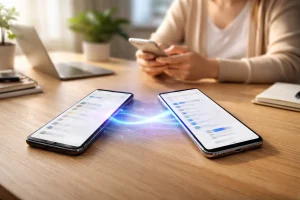
Samsung says that existing conversations, contacts and SMS history should transfer automatically when you move to Google Messages. In most cases, your text history is stored on the device, so changing the default messaging app does not erase it.
However, before switching, it is still wise to create a backup using Samsung Smart Switch or Google Drive.
What Transfers to Google Messages? Expected Result
SMS messages Yes
MMS messages Yes
Contacts Yes
Existing RCS chats Usually, but may briefly reconnect
Saved media attachments Usually transferred
Samsung-specific themes or customisations No
Some users with pre-2022 Samsung phones may notice temporary interruptions to active RCS conversations. These normally return once Google Messages finishes syncing.
Is Google Messages Better Than Samsung Messages?
Whether Google Messages is “better” depends on what you value most. Samsung Messages offered tight One UI integration and a familiar layout. However, Google Messages now provides more advanced features and longer-term support.
Samsung Messages vs Google Messages:
Feature Samsung Messages Google Messages
SMS and MMS support Ending July 2026 Fully supported
RCS messaging Limited and inconsistent Fully supported
Read receipts and typing indicators Partial Yes
End-to-end encryption Limited Available in supported chats
Spam and scam protection Basic Advanced AI filtering
Multi-device sync Limited Phone, tablet and web
AI-powered features No Gemini smart replies
Long-term support Ending Ongoing
For most users, Google Messages offers a more modern and future-proof experience. It also supports texting across Android devices, tablets and even the web through messages.google.com.
Are There Any Downsides?
Some long-time Samsung users may miss:
- One UI styling and themes
- Samsung’s older quick-reply design
- Certain customisation features
Nevertheless, those drawbacks are relatively minor compared with the benefits of improved security, reliability and support.
How Does This Affect Galaxy Watches and Tablets?
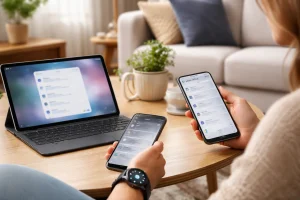
The Samsung Messages app ending in 2026 will also affect connected Galaxy devices.
Newer Galaxy tablets and Galaxy Watches already work well with Google Messages. However, older wearable devices may experience limitations.
Galaxy Watches running Wear OS, including the Galaxy Watch4 and newer, should continue to sync messages normally through Google Messages.
Older Tizen-based watches may lose access to full conversation history. They should still be able to send and receive individual texts, but users may no longer see complete message threads.
For tablets, the experience is generally better with Google Messages because it supports syncing across multiple devices more effectively than Samsung Messages ever did.
Why This Change Reflects a Bigger Android Trend?
Samsung’s decision to phase out its messaging app reflects a wider shift across the Android ecosystem. Many manufacturers are now adopting Google’s apps as default for messaging, calling, and AI services to create a more unified experience.
This change is closely linked to the rise of RCS messaging, especially as Apple now supports it in iMessage, improving communication between Android and iPhone users.
Key reasons behind this trend:
- Standardised messaging experience across Android devices
- Better compatibility between Android and iPhone (via RCS)
- Faster updates and feature improvements through Google apps
- Reduced need for duplicate apps from manufacturers
For users, this shift could mean smoother messaging, fewer issues, and a more consistent experience across devices.
Conclusion
The Samsung Messages app ending in 2026 marks the end of a familiar feature for Galaxy users, but the transition should be relatively painless. If your phone runs Android 12 or newer, you should plan to move to Google Messages before July 2026.
Do not wait until the final deadline. Open Google Messages, set it as your default texting app and back up your messages in advance. Most users will keep their conversations, contacts and media without any issues.
Although some people may miss Samsung’s older interface, Google Messages offers stronger RCS support, improved security and a better long-term experience for texting on Samsung devices.
FAQs About Samsung Messages App
Will Samsung Messages disappear completely in July 2026?
Samsung Messages will stop supporting SMS and MMS on affected devices in July 2026. It is also expected to be removed from app stores.
Can you still read old messages after switching to Google Messages?
Yes. Existing text conversations should still appear in Google Messages after the switch.
Do you need a Google account to use Google Messages on Samsung?
No. You can use Google Messages without signing in, although some features work better with a Google account.
Will switching apps delete your text conversations?
No. Samsung says your messages and contacts should transfer automatically.
Does Google Messages work on all Samsung Galaxy phones?
Google Messages works on most Galaxy devices running Android 8.0 or later.
What happens to RCS chats when you change messaging apps?
Some RCS conversations may briefly disconnect, especially on older phones, but they usually reconnect automatically.
Can you reinstall Samsung Messages after it is removed?
Probably not. Samsung plans to remove the app from the Galaxy Store and Google Play Store after July 2026.
Are older Samsung phones exempt from the 2026 shutdown?
Yes. Devices running Android 11 or earlier are currently not affected.